SaikoCTF 2024 - Hardware Badge CTF Writeup
During this year’s EkoParty I had the chance to participate in SaikoCTF a cool CTF / Research project where I had to complete challenges while wearing a whole bunch of sensors. After completing the CTF Participants were given this Hardware Badge which, besides a fun reaction game, had some it’s own CTF.
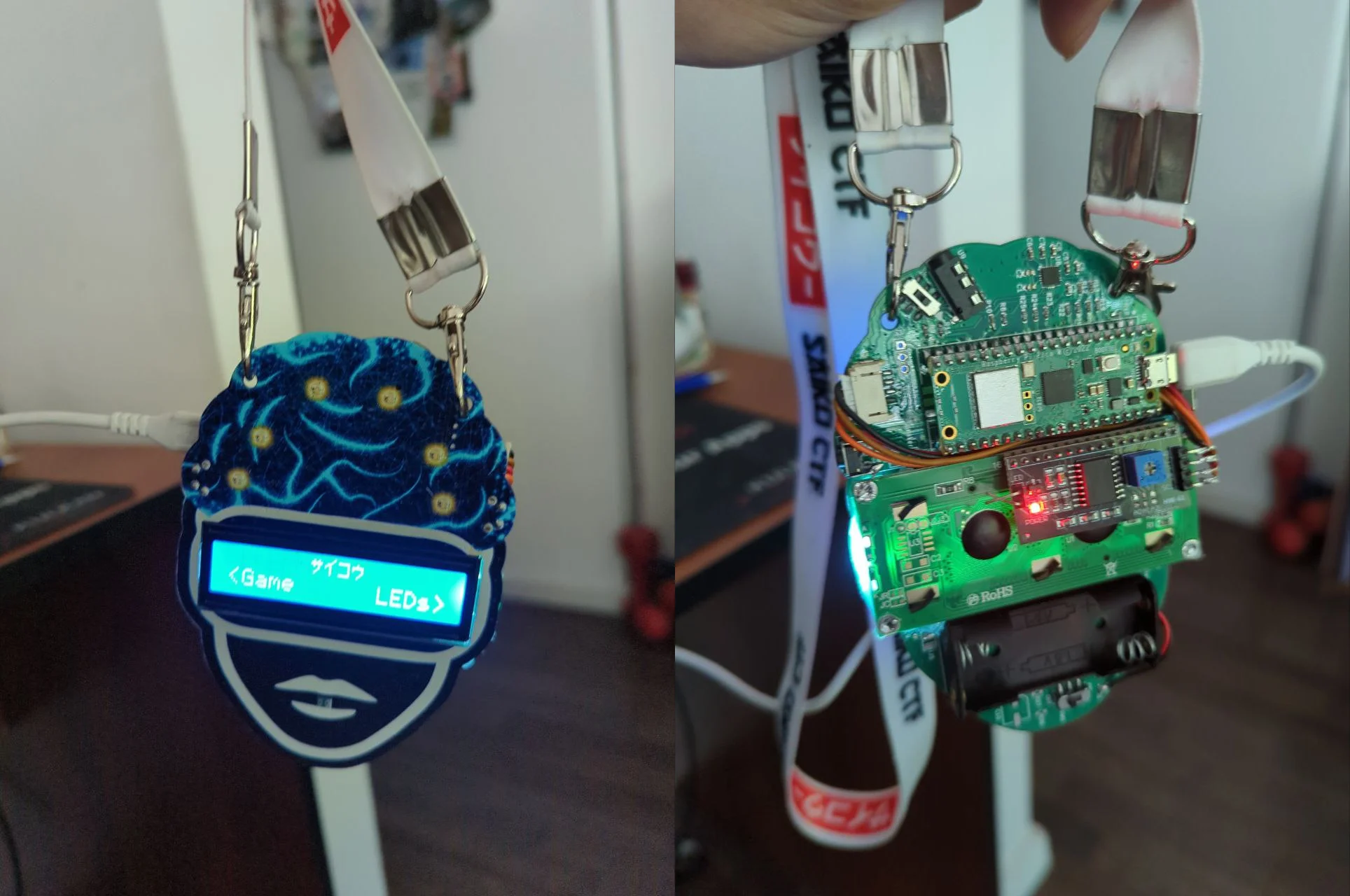
Setup
Connecting to RPI Pico was very straightforward, starting the challenge was not, as every input resulted in a “Wrong input” message.

Pressing Ctrl+C at this prompt reveals the path to an unintended solve, but we’ll focus on the intended way for now.
It turns out the correct way to start the CTF was to send ***, we get a nice “Welcome to SAIKO Badge CTF” message and our first challenge.
Challenge #1 - Decode
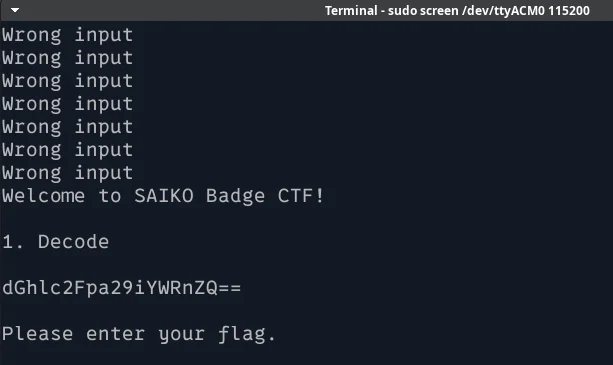
Very simple base64 encoded string, decoding it gives us our flag: thesaikobadge
Challenge #2 - Stegano
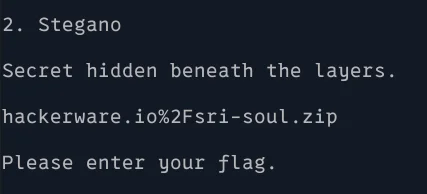
We get a url to a zip file. The zip file contains the Gerber files for the Badge PCB.

I have a vague notion that Gerber files are the blueprints for PCB Design but I’ve never messed around with them until now. After trying the low-hanging fruit CTF things (I’m sure cat file | grep flag will work someday!) I opened the files using an online gerber viewer.
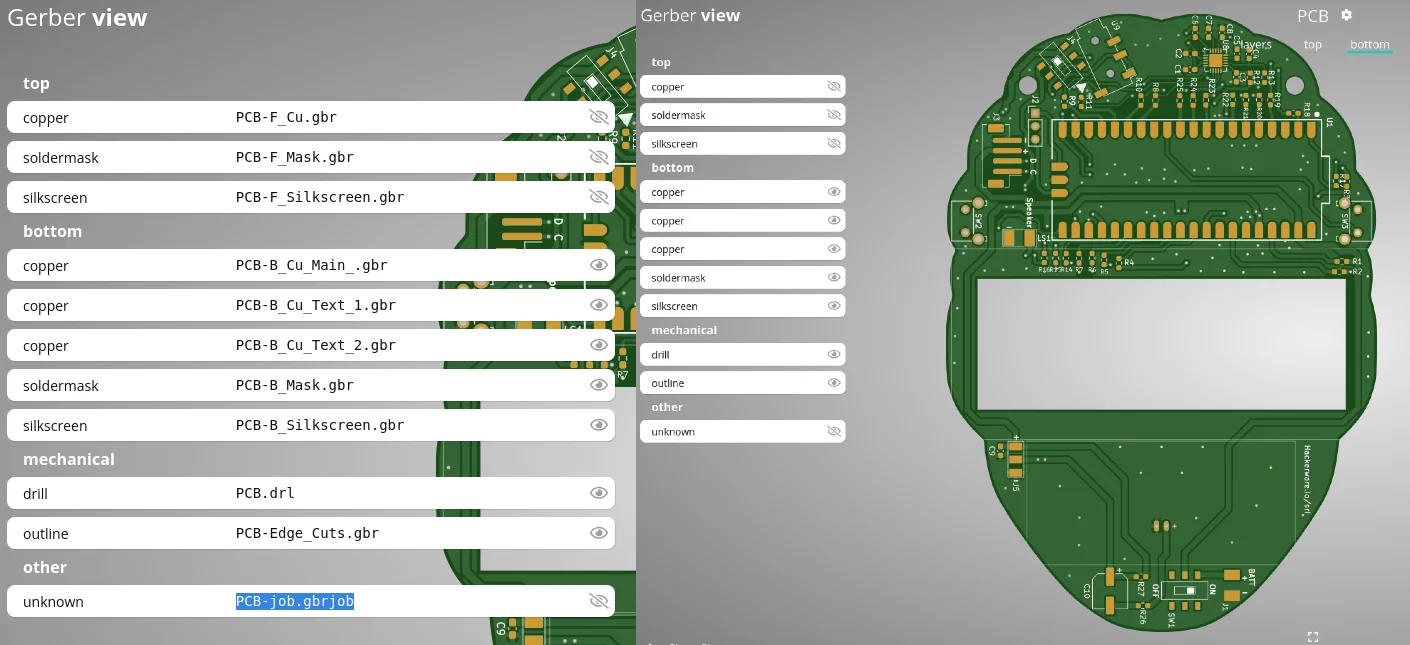
We can see all the PCB layers, I chose to focus on the text and silkscreen layers as those seemed to be the obvious places to hide things.
After some searching I found these 2 interesting bits of mirrored text:
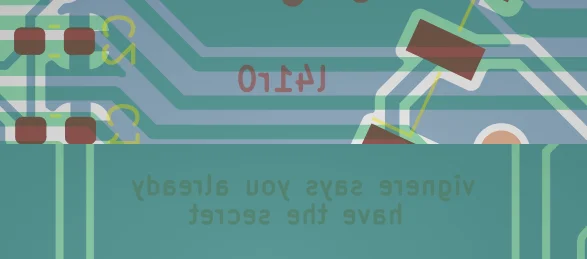
Unmirroring gives us the string l41r0 and the hint vigenere says you already have the secret. Great! Clearly l41r0 is a Vigenere cipher.
To the l33t-sp3ak1ng reader the answer may seem quite obvious, as numbers are not normally transformed by a Vigenere cipher, thus we already have 3 letters of the plaintext. However, it was really late at night after I started solving this badge so my sleep deprived brain tried a bunch of keys before deciding to take the hint literally and use thekey as a key.
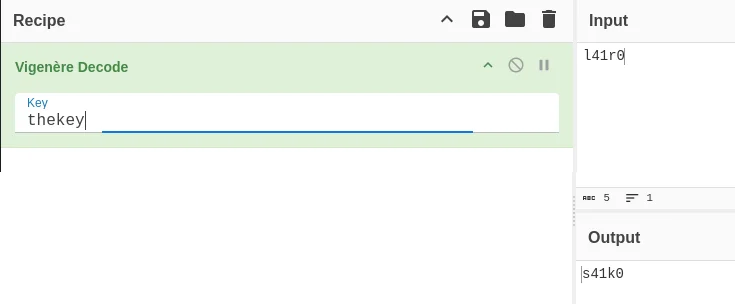 Fun fact! the ciphertext only has 2 letters so the actual key is “th”
Solution: s41k0
Challenge #3 - Crypto
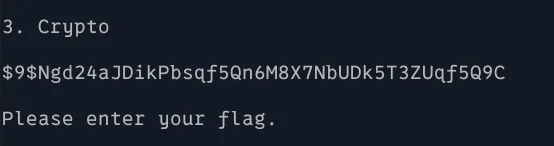
The third challenge presents us with a hash-like looking string $9$Ngd24aJDikPbsqf5Qn6M8X7NbUDk5T3ZUqf5Q9C.
This is were things begin to get tough, as neither dcode.fr, hash-identifier, and every other cipher/hash identifier tool I tried failed to tell me WTF this thing was.
After some swearing, a desperate google search for “Hashes beginning with $9$” lead me to this ~10 year old stackoverflow post about Junipers $9$ algorithm. It contained a convenient link to this Perl library that implements it. Looking at the sample code it seemed to be correct so after googling how to print a variable in Perl I wrote this simple script:
use Crypt::Juniper;
my $secret = juniper_decrypt('$9$Ngd24aJDikPbsqf5Qn6M8X7NbUDk5T3ZUqf5Q9C');
print "Decrypted text: $secret\n"

Success! The final flag is: 5aiko4wakened
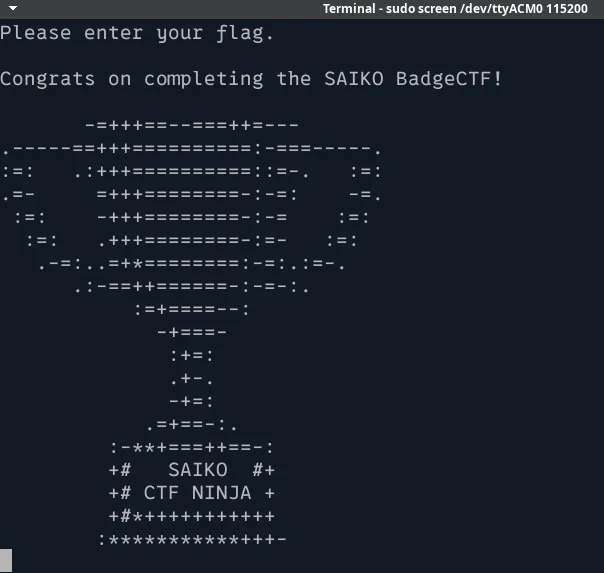
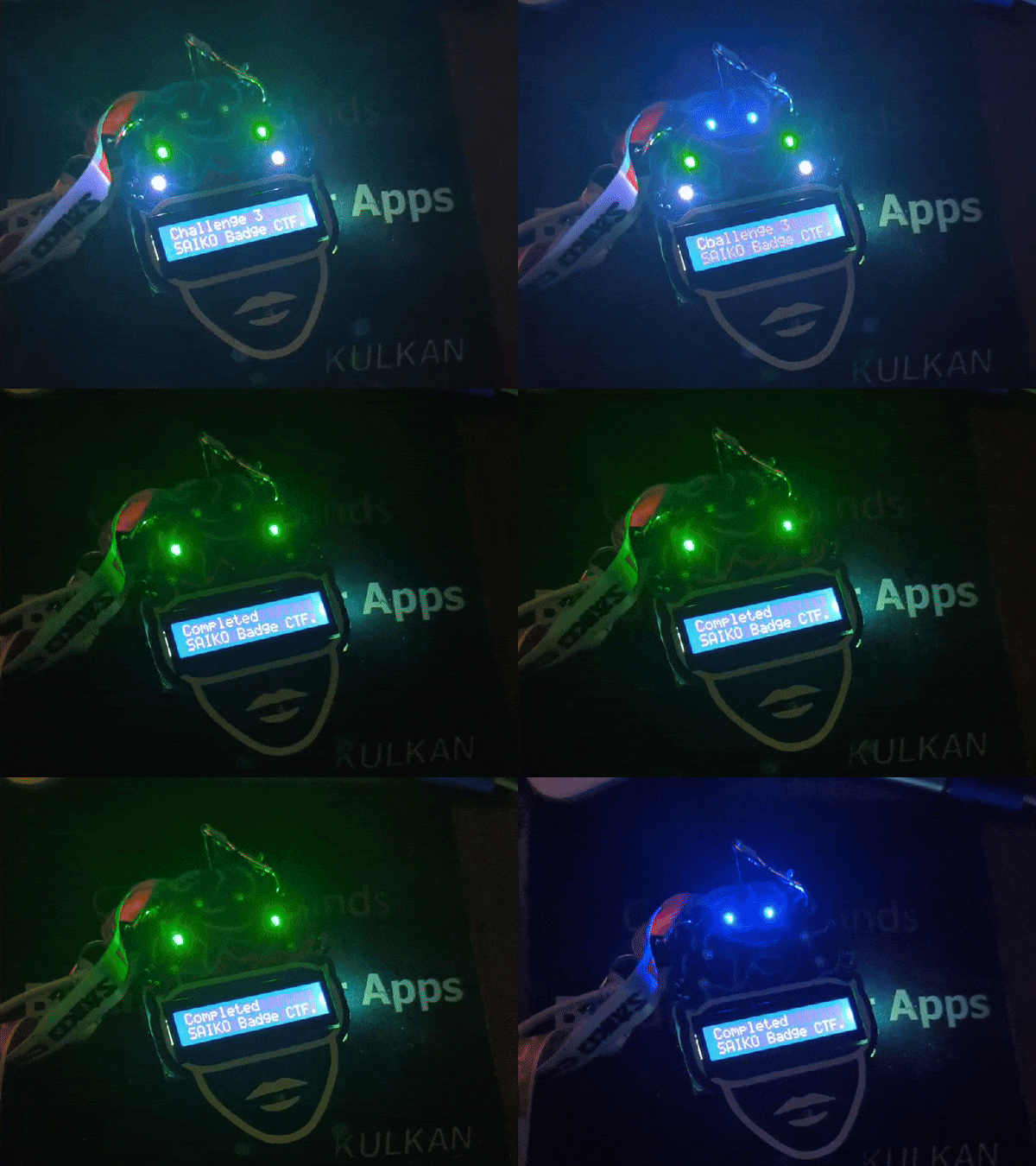
After sending the final flag we get some cool ASCII art and a nice LED animation on the badge itself
BONUS ROUND: The unintended way
Remember the Ctrl+C callout way back at the start of this write up? Turns out that hitting it stops executing the Badge code and drops us into a MycroPython interpreter:
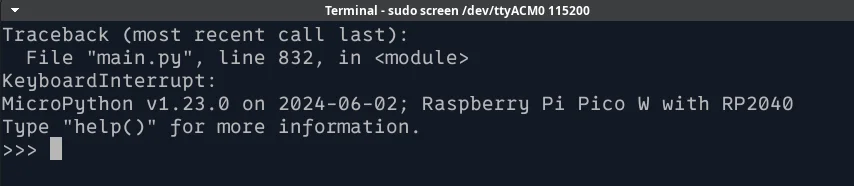
Once we’re here it’s quite easy to list all of the source files for the challenge:

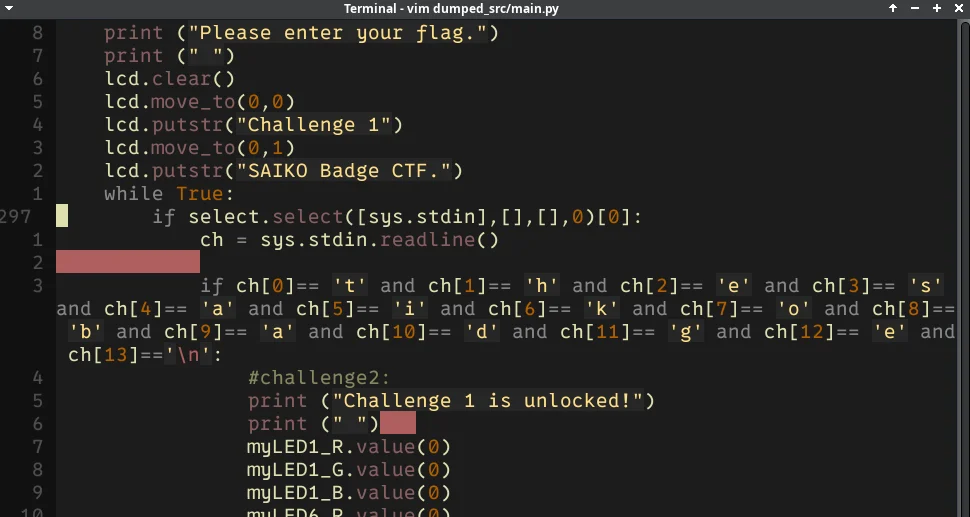
It’s possible to read all of the source code from the MicroPython REPL, but it’s very long and lacks the fancy sytnax highlighting we all love. After some googling on how to get the source out of the Pi, I found rshell which had some easy built in commands to pull files out of the Pi and onto my host computer.
All of the CTF logic is contained in the main.py file, including the flags:
Afterthoughts
If you made it this far I’d like to thank you for your time. Even though the challenges were quite simple it was still really fun to solve them, and I’ve never really tinkered with MicroPython or the RPi Pico until now, so it was a cool learning experience.
The SaikoCTF Team were really kind and helpful all throughout the con (even though they stole my brainwaves!) and this year’s EkoParty was a blast.